Description:
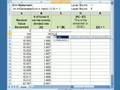
Learn how to combine text from multiple cells in Microsoft Excel using the CONCATENATE function. In this quick tutorial, you’ll display the contents of cells B4 and A4 with a space in between — clean, simple, and professional.
Perfect for students, beginners, and Excel users looking to improve productivity fast.
???? Excel CONCATENATE | Excel formulas | Excel basics | Excel tutorial shorts

















Share this link via
Or copy link